Your locations database grows fast. A few hundred locations becomes a few thousand. And at some point, manually filing everything into the right folder stops being a minor annoyance and starts costing you real time.
Dynamic Folders fix that. You set up a set of rules once — and SuperScout does the filing for you, automatically, every time you add something new.
What is a Dynamic Folder?
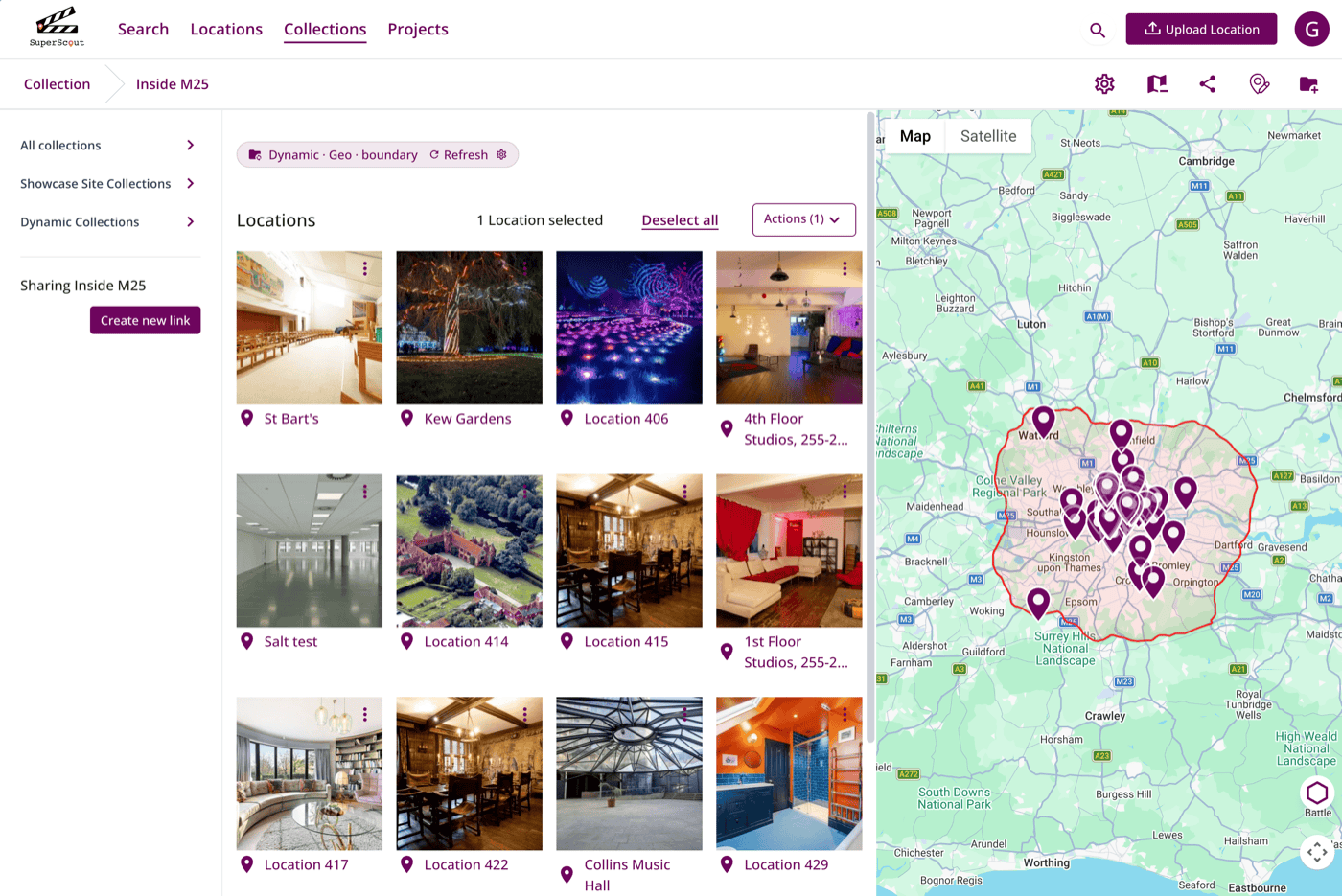
A Dynamic Folder is a collection or project that updates itself without your input beyond setup. You define the rules and SuperScout automatically pulls in every location that matches. Upload a new location to your account that matches the rules of the Dynamic Folder, and it appears in the folder without you doing anything.
You can find Dynamic Folders inside your Collections and Projects. Look for the Dynamic Filter toggle when creating or editing a folder.
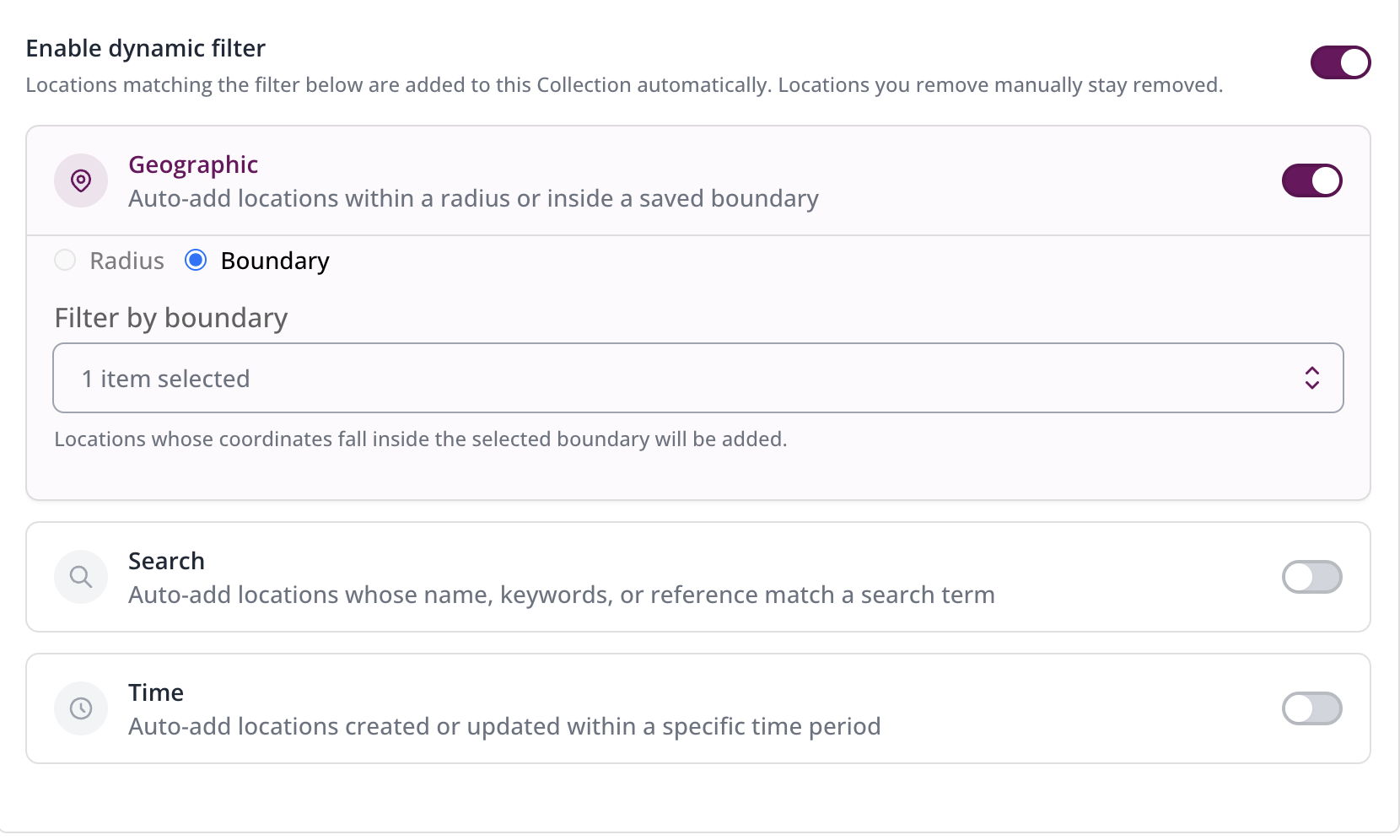
The current filter types are:
- Geographic — a radius from a centre point, like a production office or key location, or within a Boundary you’ve already set up, like the City of London Film Office jurisdiction
- Search — keyword-based, matching anything that would appear if you searched that term in SuperScout — including auto-generated photo tags and location descriptions. For example, everything that comes up for “canal”
- Time — locations uploaded or updated within a set period, such as the last 30 days
You can stack filters too — for example, everything less than 30 miles from Pinewood Studios uploaded in the last 30 days.
For location scouts and managers: always know which permit area you’re in
If you work across London — or any city with fragmented permit jurisdictions — you’ll know the problem. Borough boundaries are not obvious on the ground. You can scout a street, upload the location, and genuinely not know whether you’re dealing with the City of London, Southwark, or Lambeth. Looking it up takes time. Doing it for every location adds up.
With Dynamic Folders, you set up a folder for each permit area once — linked to its relevant Boundary in SuperScout — and from that point forward, every location you upload files itself into the right jurisdiction folder automatically. You immediately know which permit system applies and who to contact.
Here’s how to set up a Boundary if you haven’t done it yet. Once your boundaries are in place, building Dynamic Folders on top of them takes seconds.
The radius filter is useful here too. If you’re working from a studio base or production office, you can create a folder set to a specific distance from that point — 20 miles from Pinewood Studios, for example — and every location you scout within that zone appears automatically as you go.
For film commissions: track every corner of your area
You likely need to keep close track of locations across the different regions, counties, and local areas within your jurisdiction — for internal organisation, for quarterly reporting to funders, or to make sure every area is fairly represented in your database.
Dynamic Folders make this automatic. Create a folder for each area you need to track, link it to the relevant boundary, and SuperScout keeps it up to date as new locations are added. You can go as granular as you need — from a whole state or region down to individual towns or districts, whatever your reporting requires.
One commission has already taken this further, using jurisdiction folders to run a friendly internal competition between local districts to see who can get the most locations submitted. That’s not a use case we designed for, but it works.
What would you like to see next?
Geographic, keyword, and time are the three filters available now. We’re planning to add more — and we’d genuinely like to know what would be useful to you. Drop us a message on WhatsApp or email us with what you’d want to see.
Dynamic Folders are available now on all SuperScout plans. Log in and try it →
Try Dynamic Folders for yourself.
SuperScout is free to get started — no card needed. See what it can do for your locations workflow.
Try it now →